APLYiD
please read
Only APLYiD Admins can do this within the APLYiD Dashboard. If you are not an APLYiD admin, please ask your APLYiD admin to complete this setup.
Click
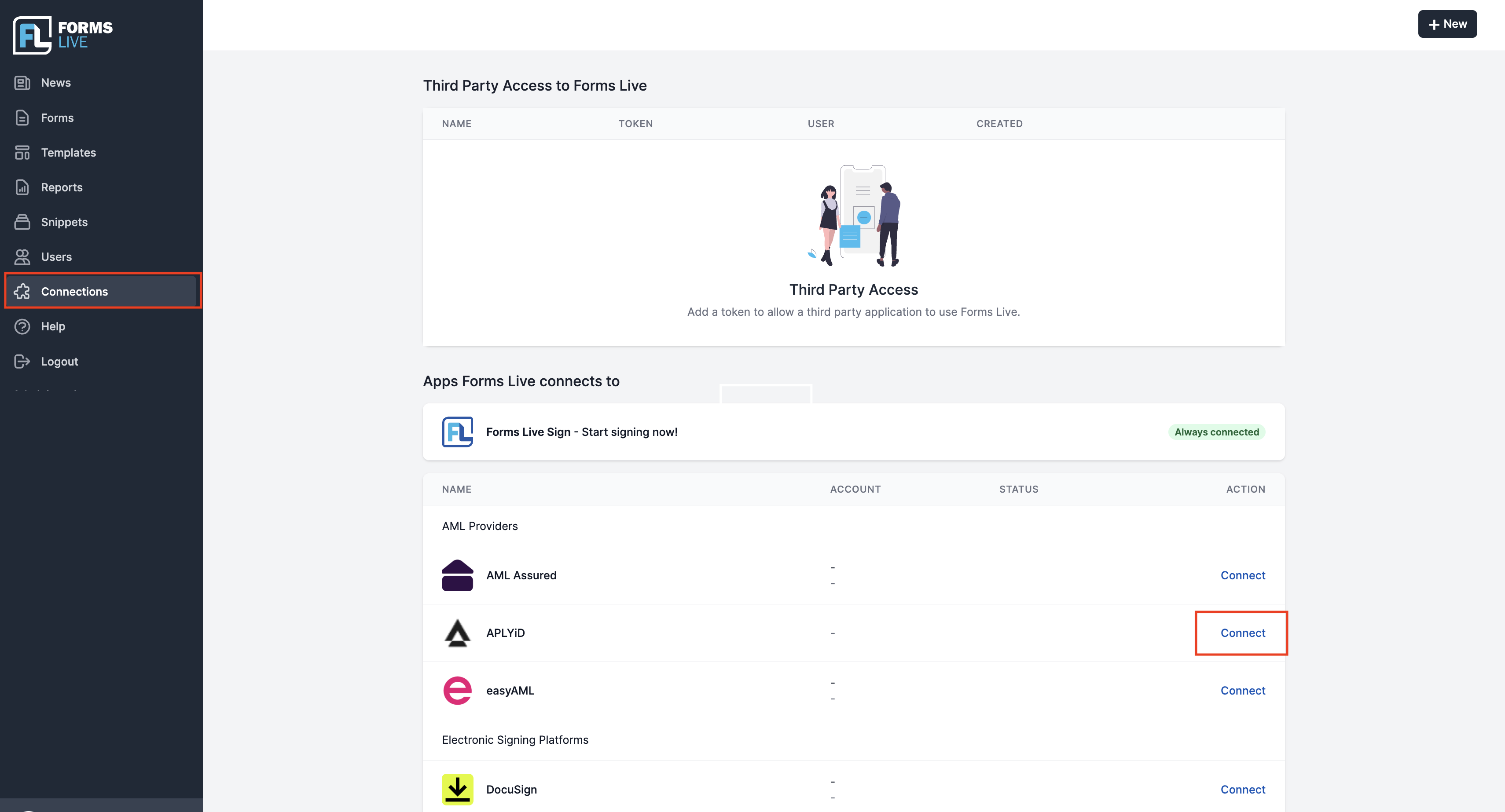
Connectionsin the left menu.Click
Connectin the row labelledAPLYiD.
Go to the APLYiD dashboard here (https://workflow.aplyid.com/login).
Go to
Settings, thenDevelopers.
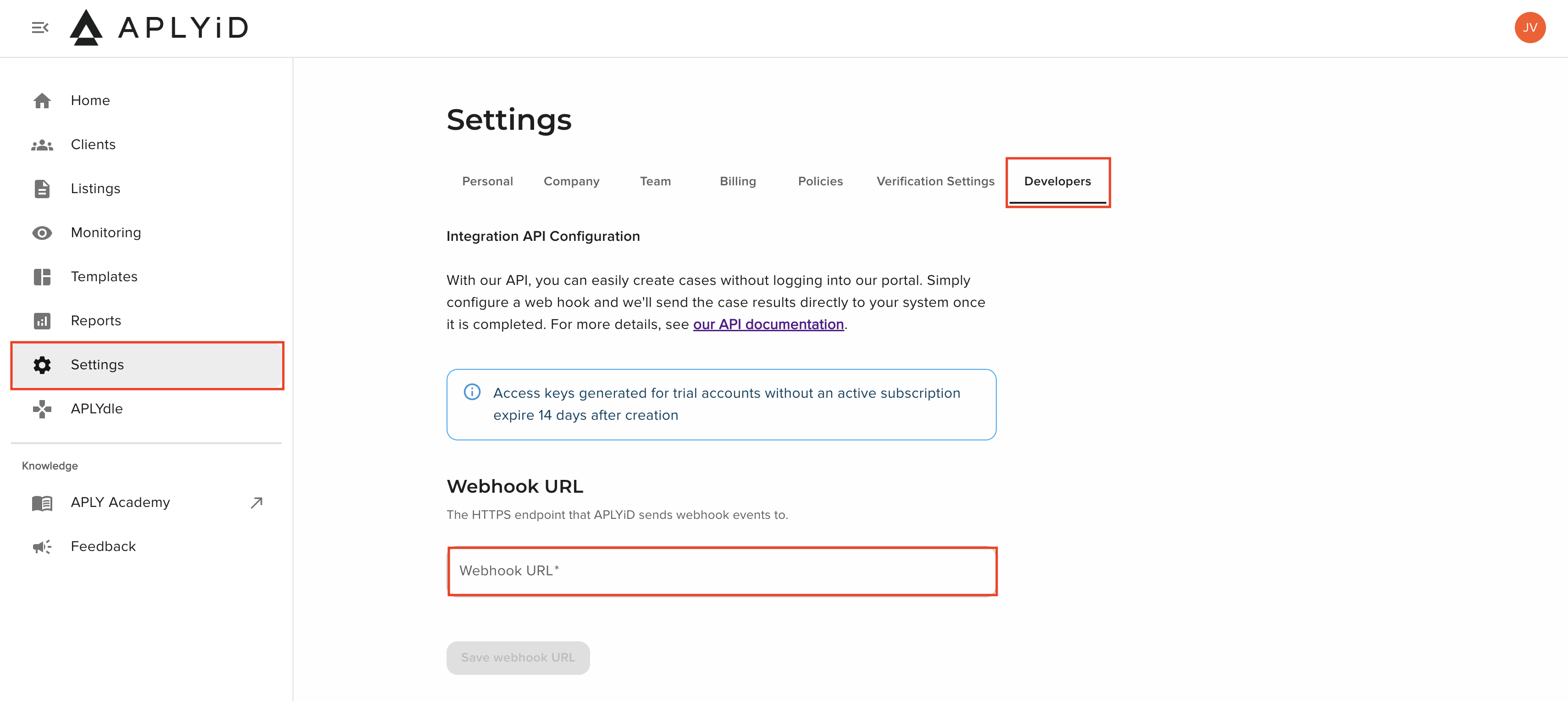
- Enter the corresponsing Webhook URL based on your Forms Live platform:
Queensland:
https://qld.api.formslive.com.au/aml-notification/aplyidSouth Australia:
https://sa.api.formslive.com.au/aml-notification/aplyidTasmania:
https://tas.api.formslive.com.au/aml-notification/aplyidVictoria:
https://vic.api.formslive.com.au/aml-notification/aplyid
Click
Save webhook URL.APLYiD will now present you with your
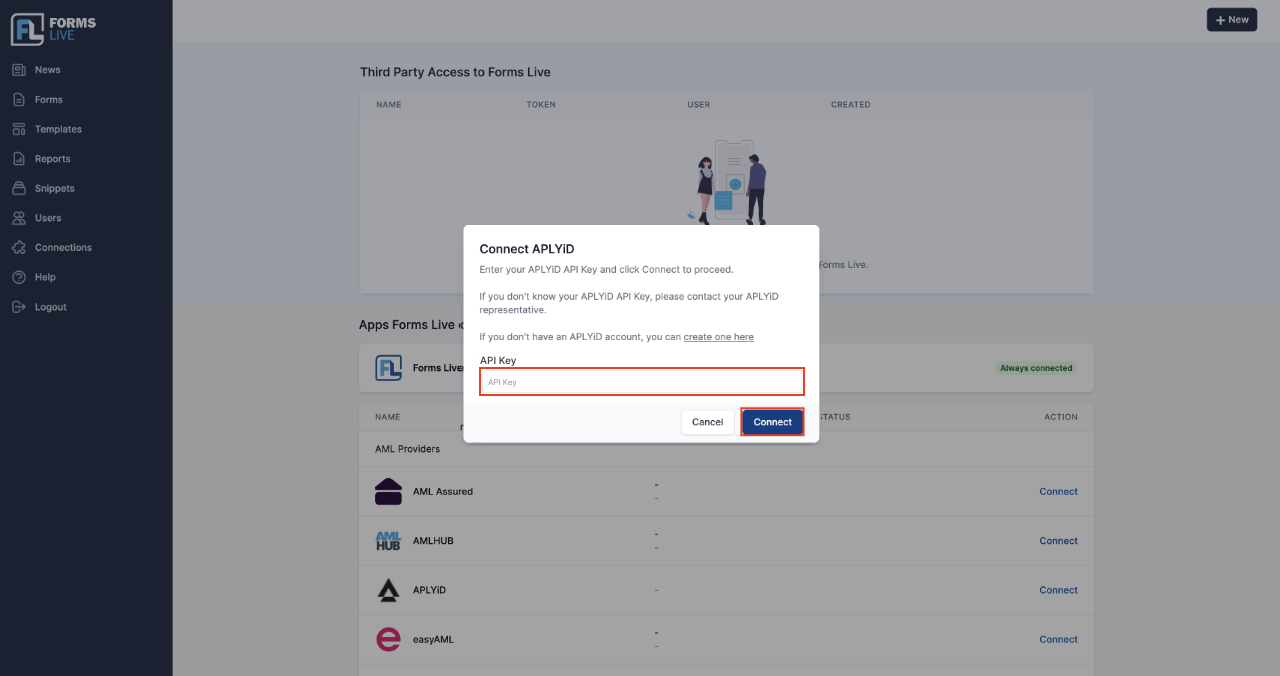
API Key. Save this in a secure location.Return to Forms Live, and paste this
API Keyinto the textbox labelledAPI Key.