Email address incorrectly filling into date fields
info
If you use the LastPass browser extension to store your Forms Live login credentials, you may experience an issue with incorrectly filling fields.
To rectify, please disable the browser extension by following one of these option:
Option 1#
Click the red icon next to the filled field
Click
More options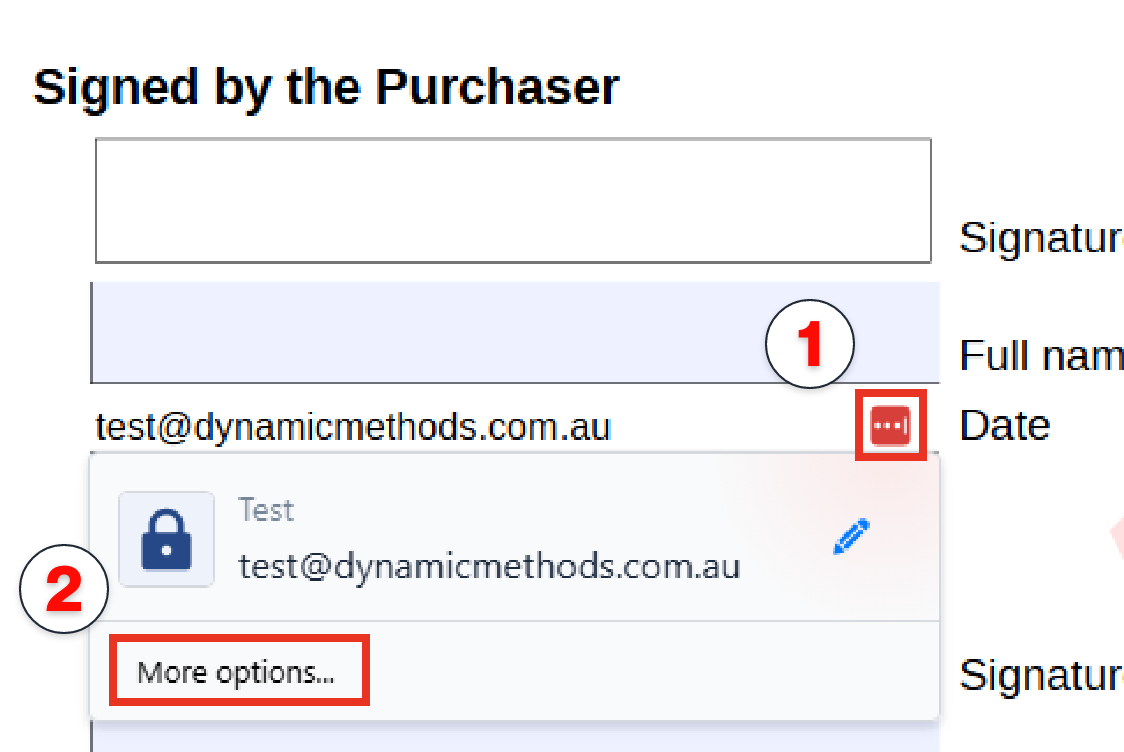
Click
Turn off LastPass for this site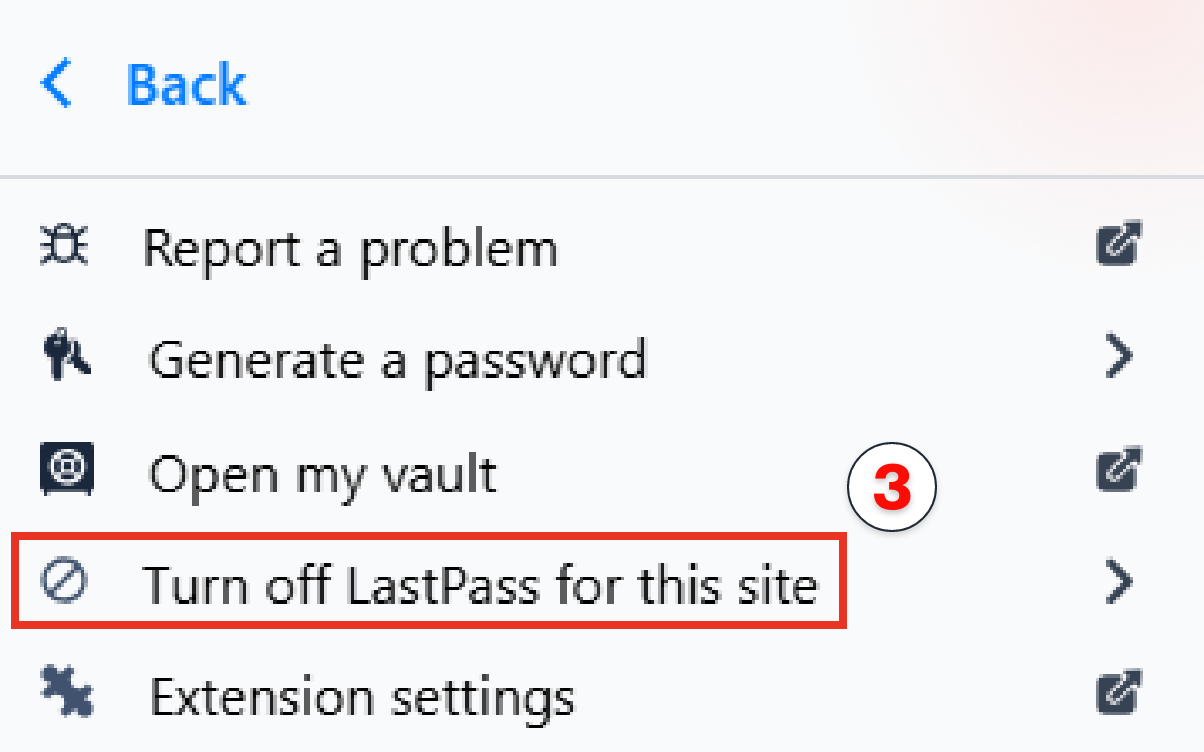
Click
Turn off for this site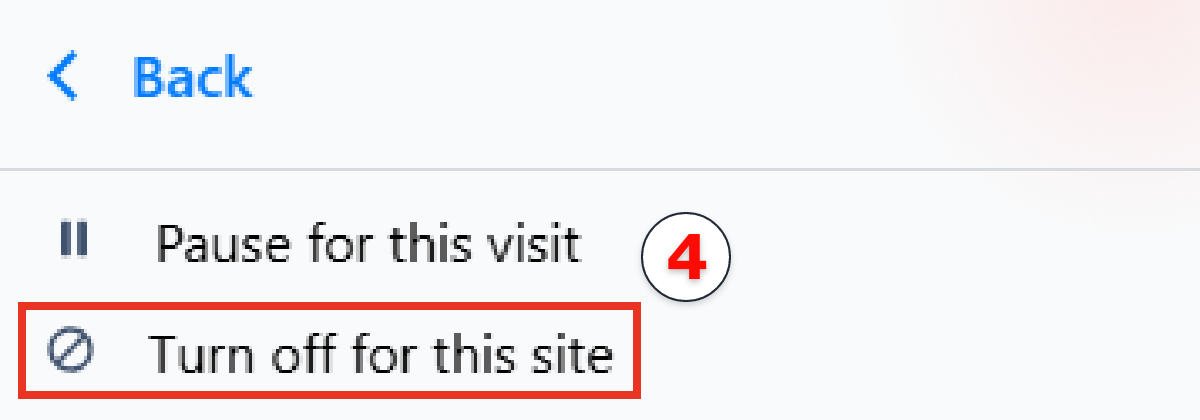
Option 2#
- Click the LastPass icon in the top right corner of your browser
- Click
Vault
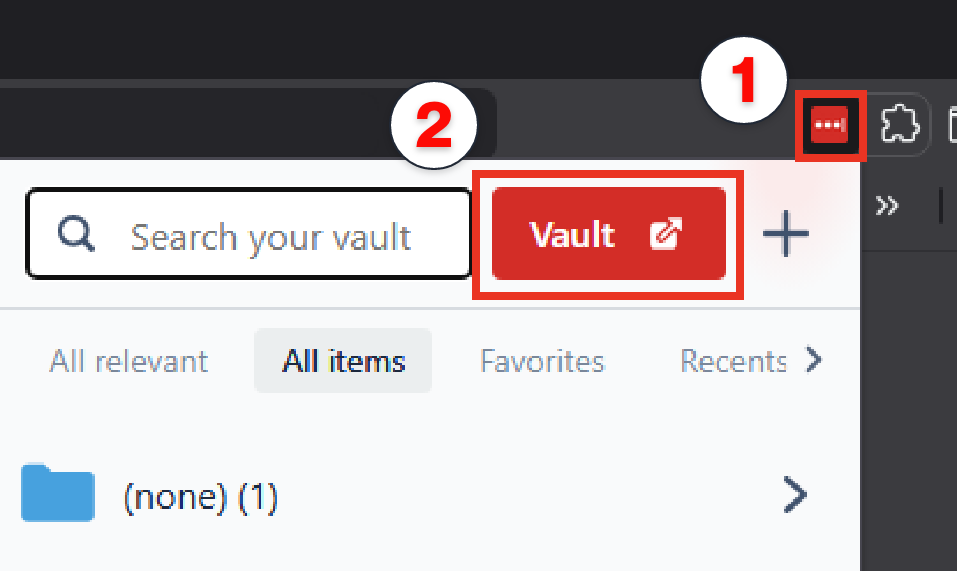
Click
Advanced Optionsin the left menuClick
Autofillsettings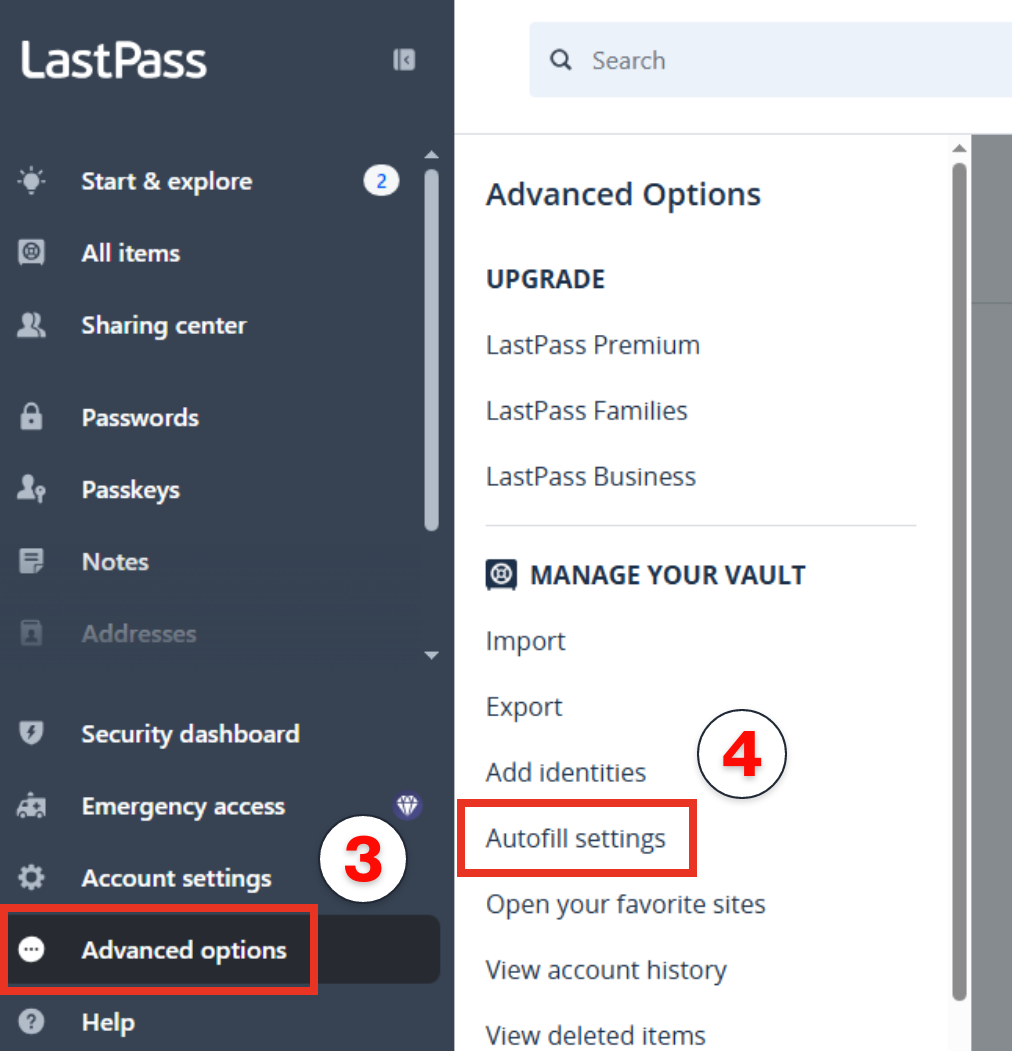
Click the red
Add newbutton
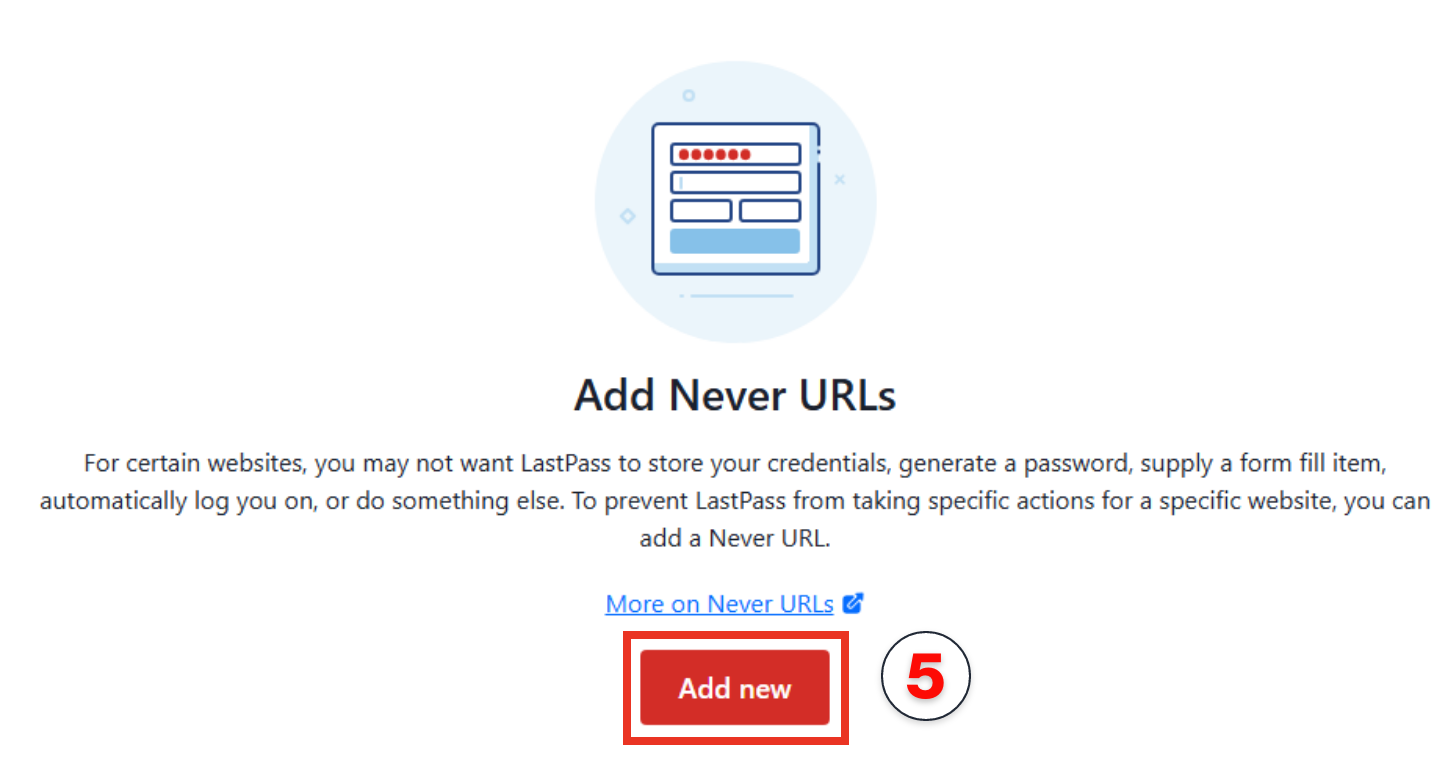
- Enter the site URL for your state from the below list
- Choose
Never do anythingfrom theActionlist
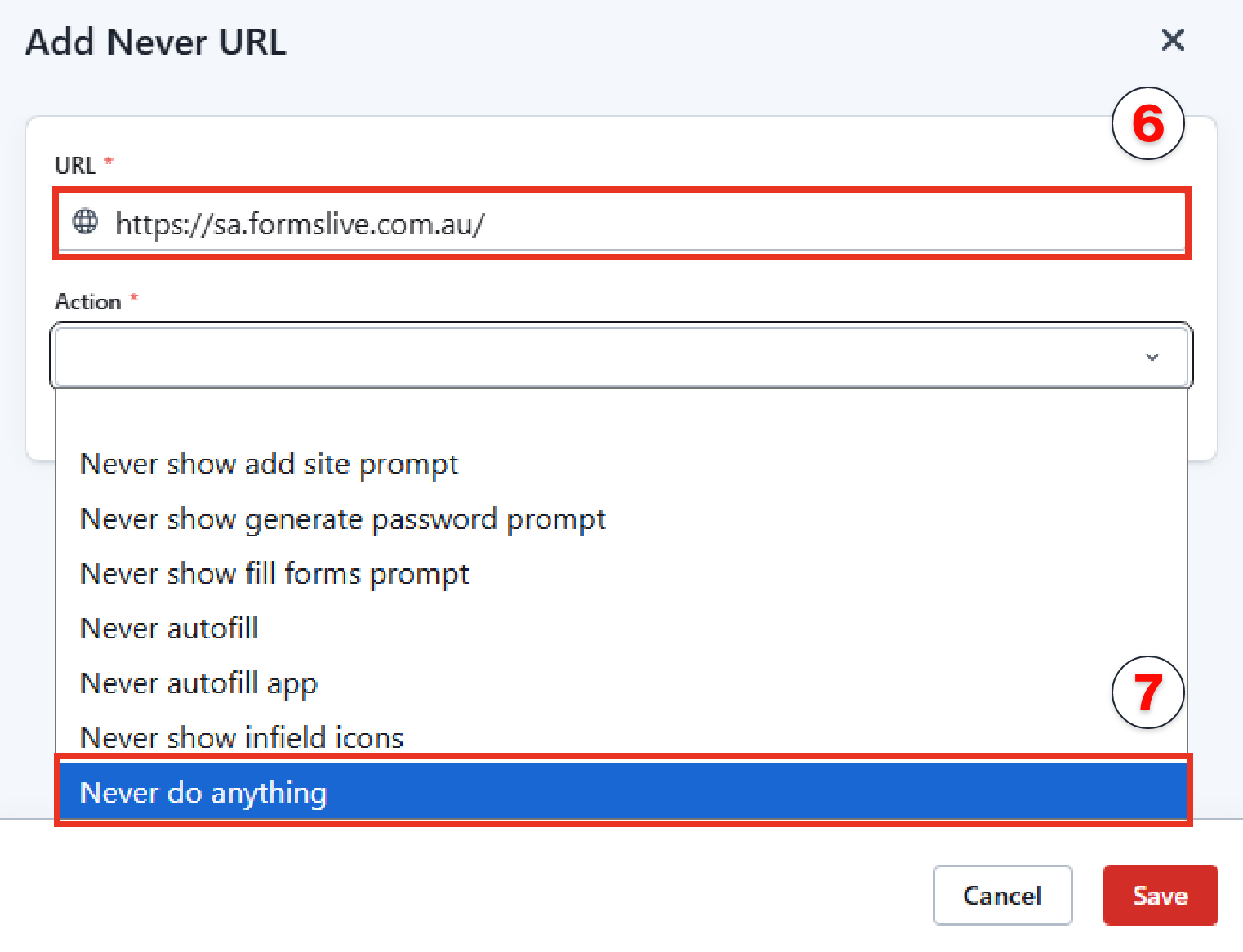
Click
SaveHead back to Forms Live and refresh the page
note
NB: this may take a few minutes for LastPass to register the change. You may also need to close and reopen your web browser.