Editing Snippets
Click
Snippetsin the left menu.Locate the snippet you want to edit.
Click the three dot icon in the row of the snippet you wish to edit.
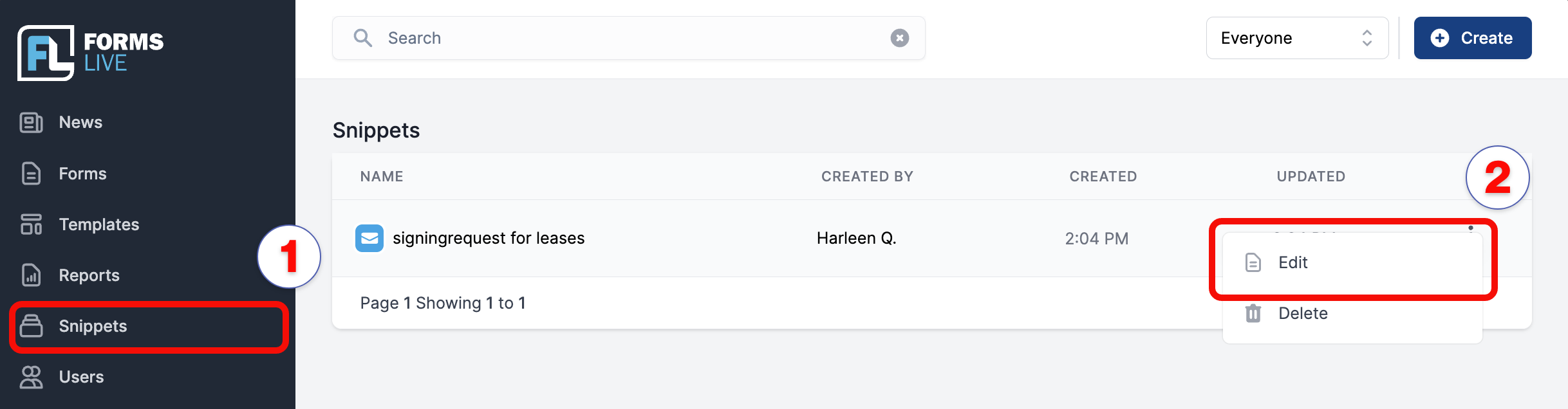
Edit the snippet details as required.
To make the snippet available for signing emails, check the
Signing – Custom Messagecheckbox.
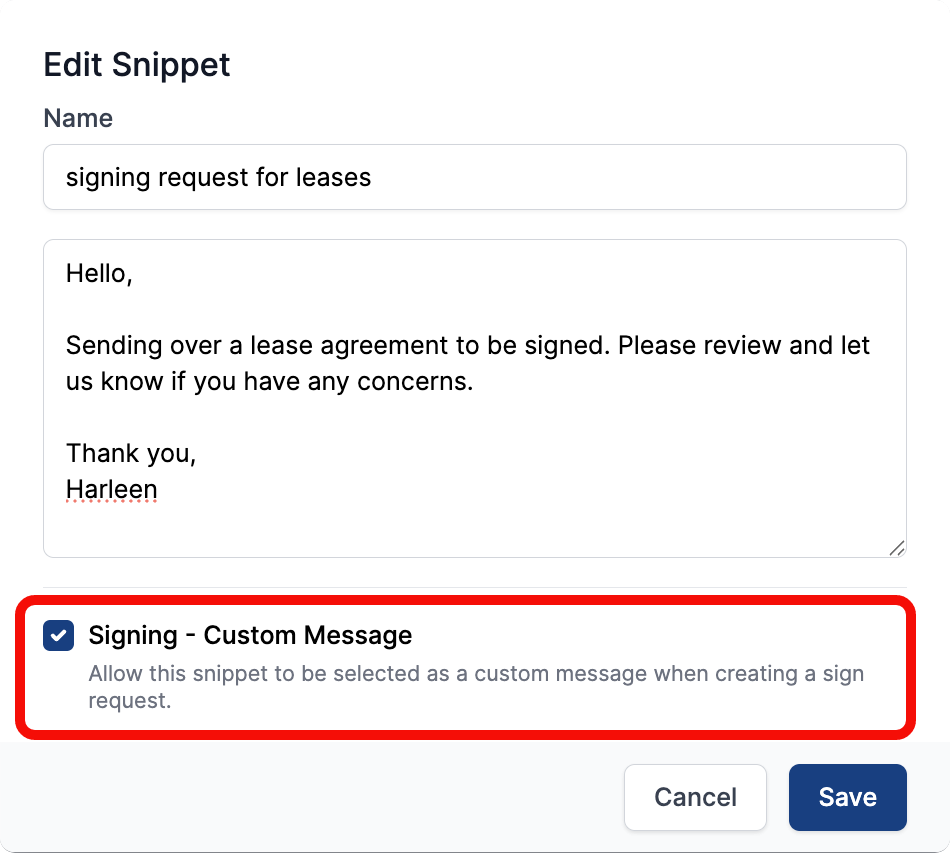
- Click
Savewhen completed.