Revise a Form
please note
Revise lets you revert a finalised form back to Draft status to make changes or edits.
Any in-progress sign requests will be voided when the form is reverted to draft.
Forms with completed sign requests cannot be reverted to draft.
Select the
finalisedform from your Forms List.Click
Revisein the top toolbar.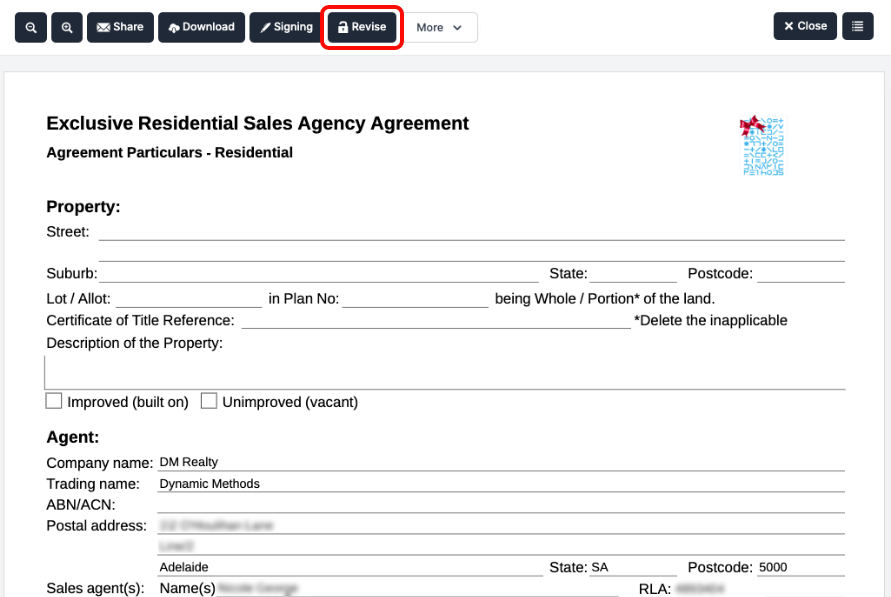
In the confirmation dialog, click
Revise Form.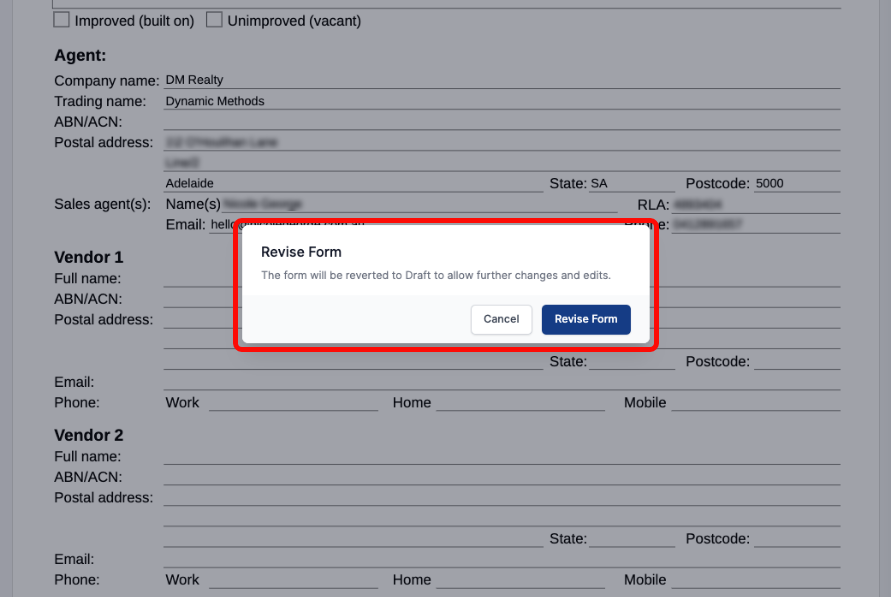
The form will now be reverted to
Draftstatus, allowing you to make any edits as needed.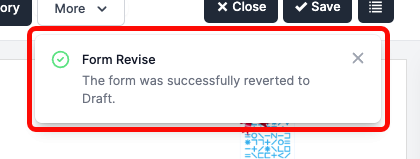
Enabled Forms: QLD#
All Queensland forms support Revisions.
Enabled Forms: SA#
Sales
Form 1 (FORM1)
Exclusive Residential Sales Agency Agreement (SA0001)
Contract (Residential) (SA0100)
Exclusive Sales Agency Agreement (Rural) (SA2001)
Contract (Rural) (SA2100)
Exclusive Commercial Sales Agency Agreement (SA3001)
Property Management
Exclusive Residential Letting and Management Agreement (PM0100)
Commercial Exclusive Leasing and Management Agreement (PM0300)
Cover Pages
General Cover Page (GN0002)
Contract of Sale Cover Page (GN0003)
Property Management Cover Page (GN0004)
Enabled Forms: TAS#
Sales
- Contract for Sale (SA0100)
Enabled Forms: VIC#
Sales
General Sale Authority (SA0001)
Exclusive Residential Sale Authority (SA0002)
Exclusive Auction Authority (SA0003)
General Business and Property Sale Authority (SA0004)
Exclusive Purchase Authority (SA0009)
Contract of Sale of Real Estate (SA0101)
Exclusive Commercial Sale Authority (SA1006)
Property Management
Residential General Leasing & Managing Authority (PM0002)
Commercial General Leasing and Management Authority (PM0003)
Residential Exclusive Leasing and Managing Authority (PM0004)
Commercial Exclusive Leasing and Managing Authority (PM0005)
Exclusive Commercial Property Management Authority (PM0006)
Commercial Exclusive Leasing Authority (PM0015)
Cover Pages
General Cover Page (GN0002)
Contract of Sale Cover Page (GN0003)
Section 32 Cover Page (GN0004)