EasyAML
Installing the Forms Live App to your EasyAML Account#
- Ensure EasyAML organisation has installed the Forms Live App by going to the EasyAML Dashboard -> Apps -> Marketplace -> Installed. If you can see the Forms Live App here, it is already installed, and you can skip to Connecting to EasyAML
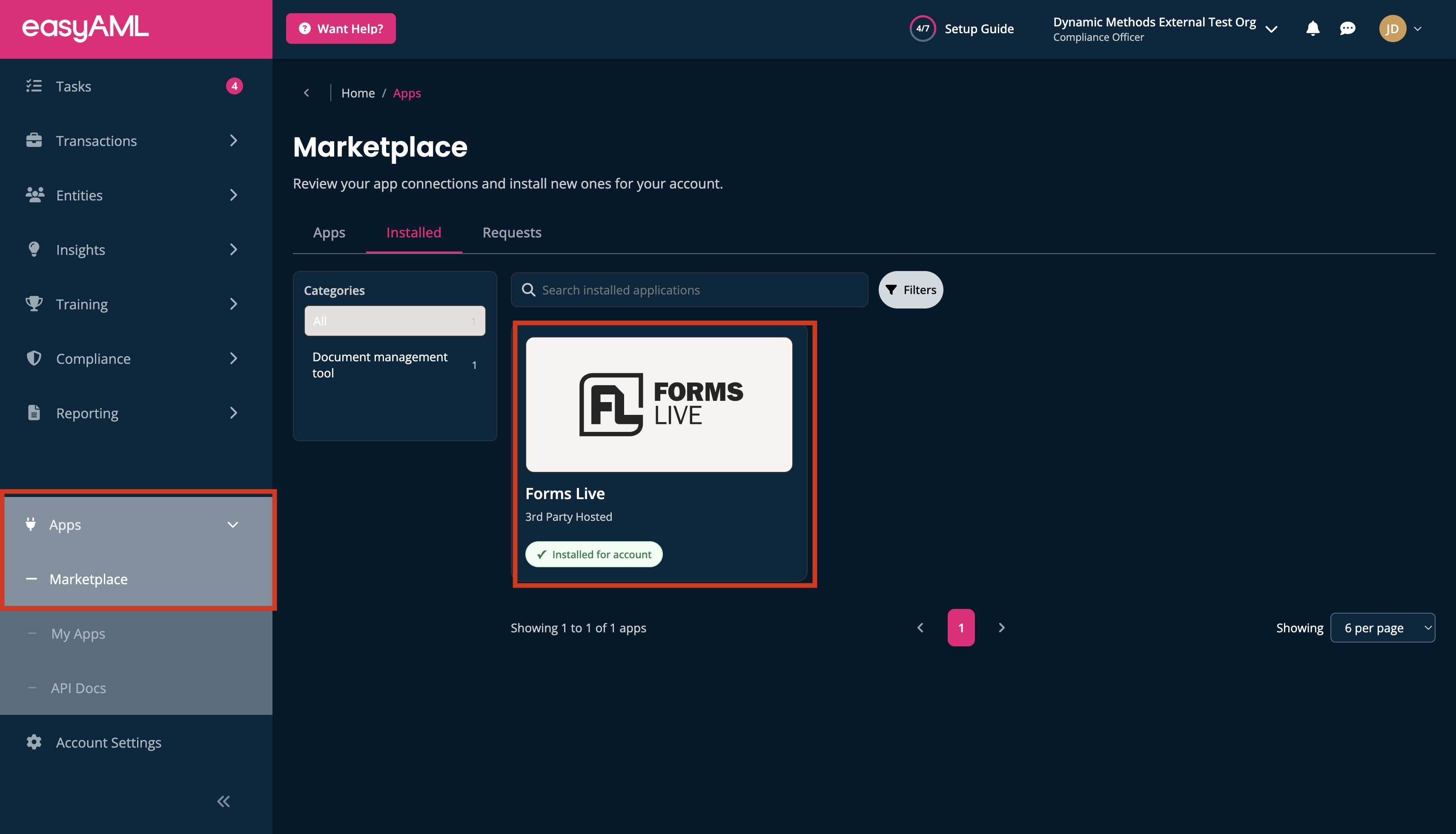
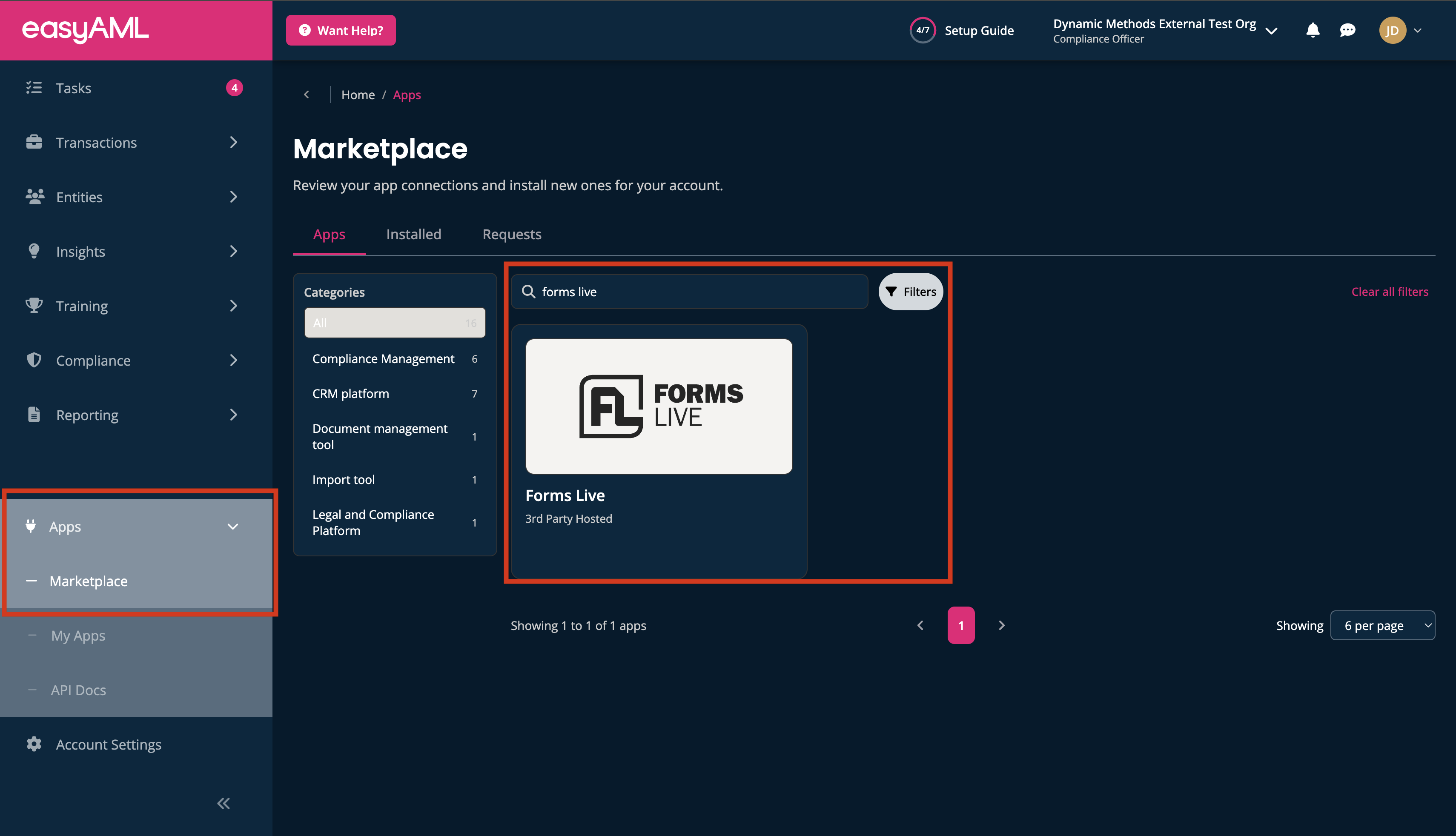
- If you cannot see it, go to Apps -> Marketplace and search for "Forms Live."
please read
Only an Admin or Compliance Officer from your EasyAML Account is able to complete this step. If you cannot Apps or Marketplace on your EasyAML Dashboard, you are not an Admin or Compliance Officer.
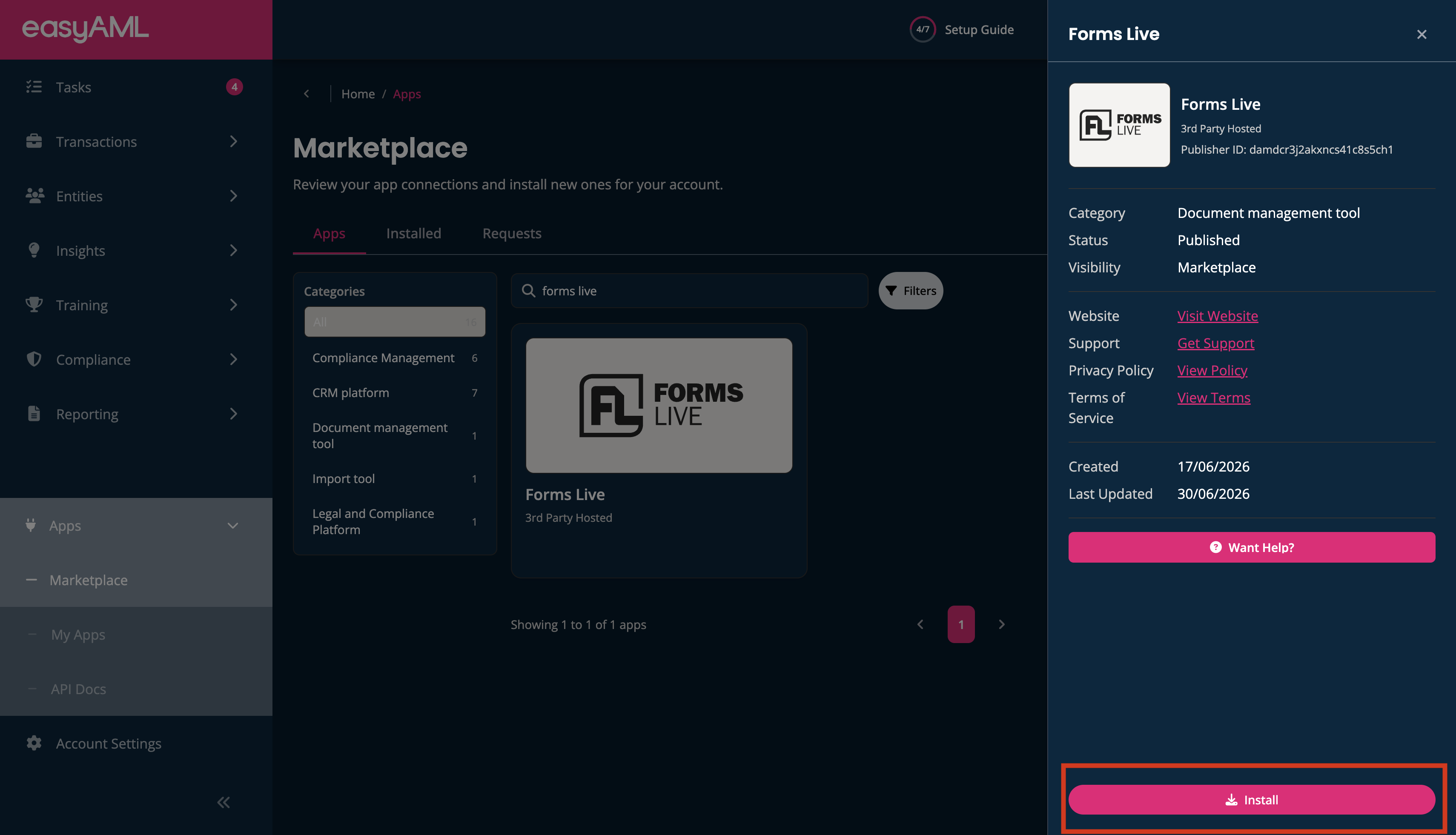
- Click on "Forms Live," then "Install"
- Return to Forms Live.
Connecting to EasyAML#
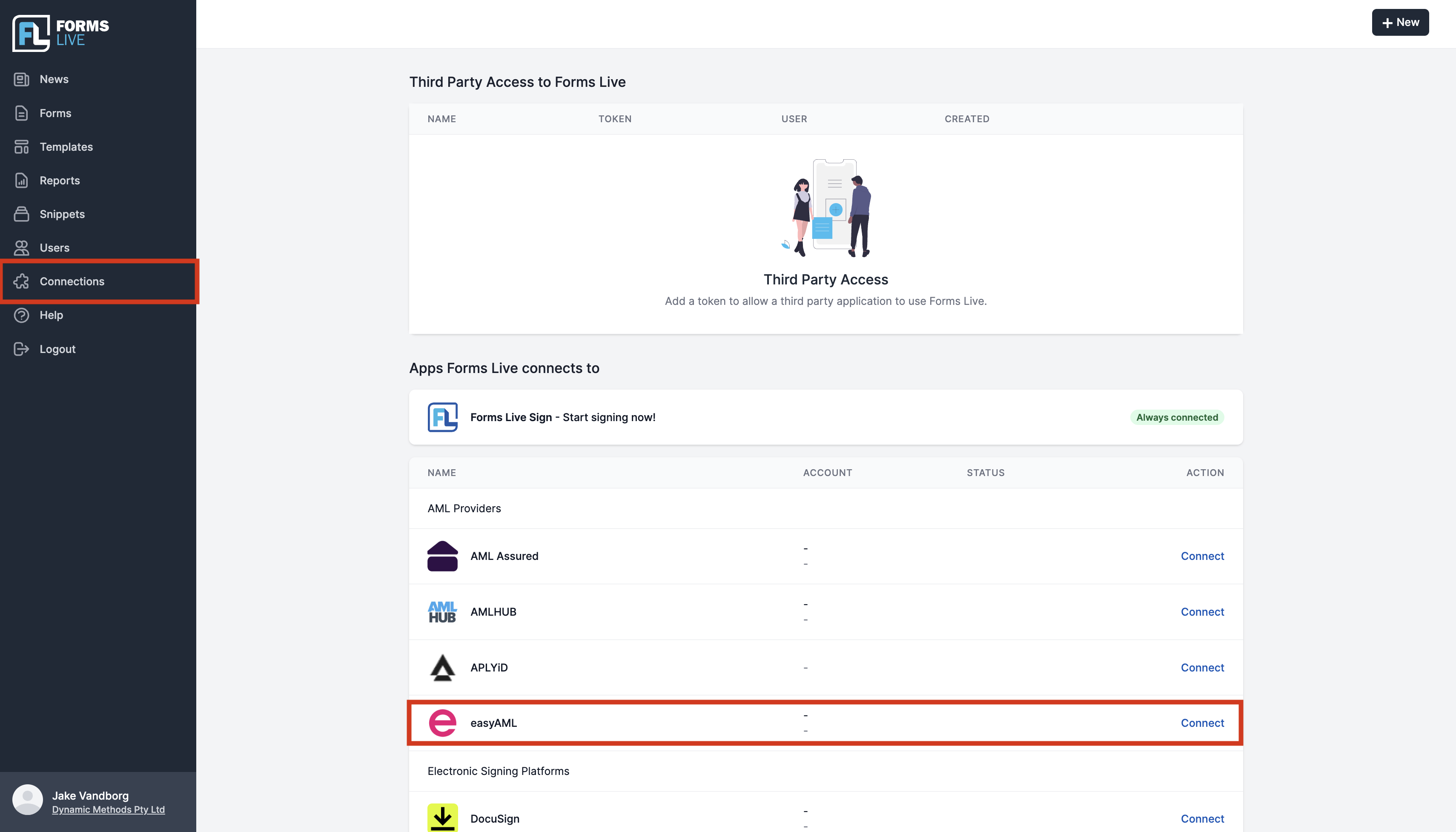
- Within Forms Live, click on Connections -> EasyAML -> Start Authorisation Process, and login with your EasyAML username and password.
- Done