Adding Snippets to Signing Requests
info
When sending a form for electronic signing, you can use a saved snippet as your custom signing email message.
To make a snippet for signing requests, enable the Signing - Custom Message option when creating or editing the snippet. For more information, see Creating Snippets.
Click the
Signingtab in the right sidebar.Enter all recipient details.
Click
Next.In the
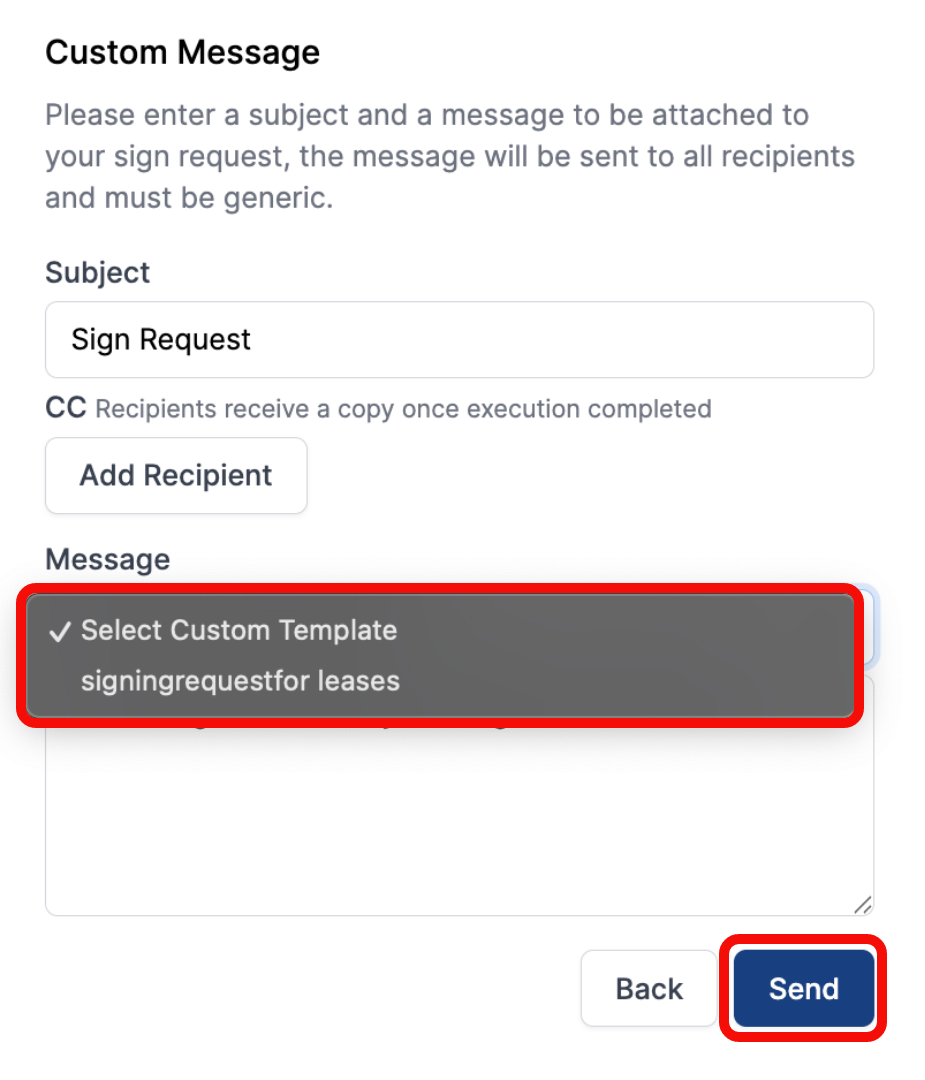
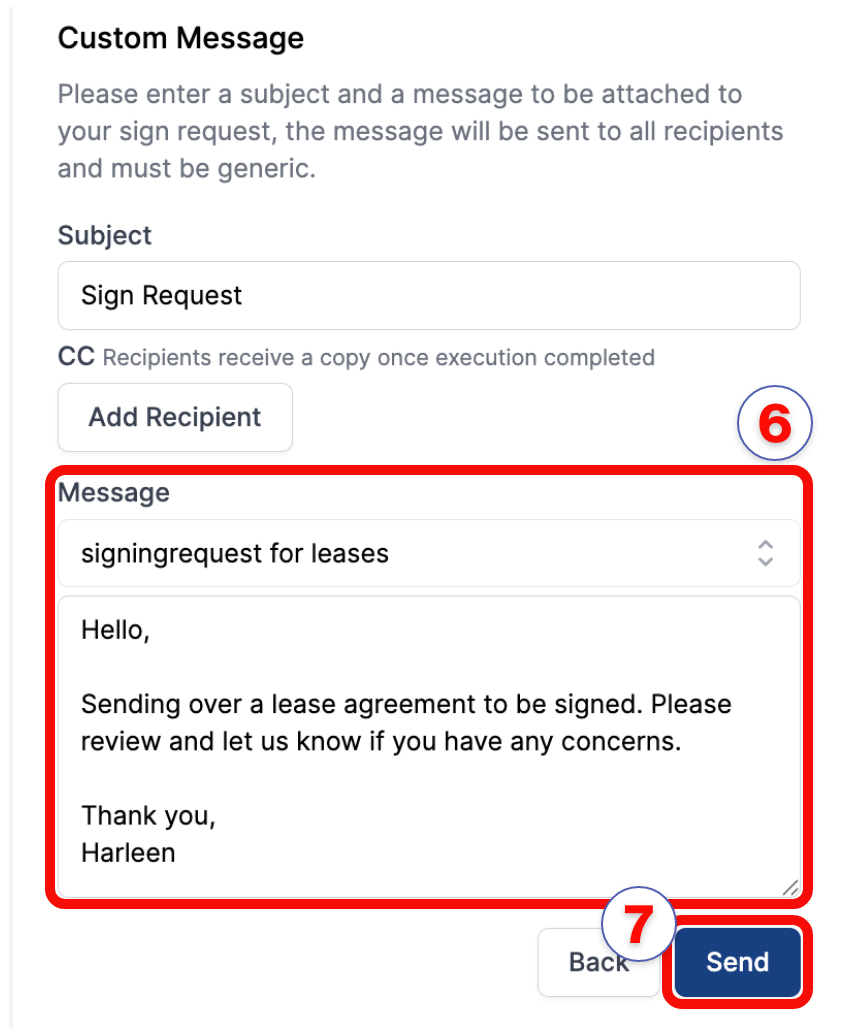
Custom Messagesection, click theSelect Custom Templatedropdown.Select a saved signing snippet to populate the message field.
Review the
subjectandmessagecontent, and make any required changes.Click
Send.
note
The custom message is sent to all recipients in Step 1. You can edit the populated text before sending.