FirstAML
please note
FirstAML requires an agency wide connection, which must be configured by a Principal user in your account. Once connected it will become available for all users.
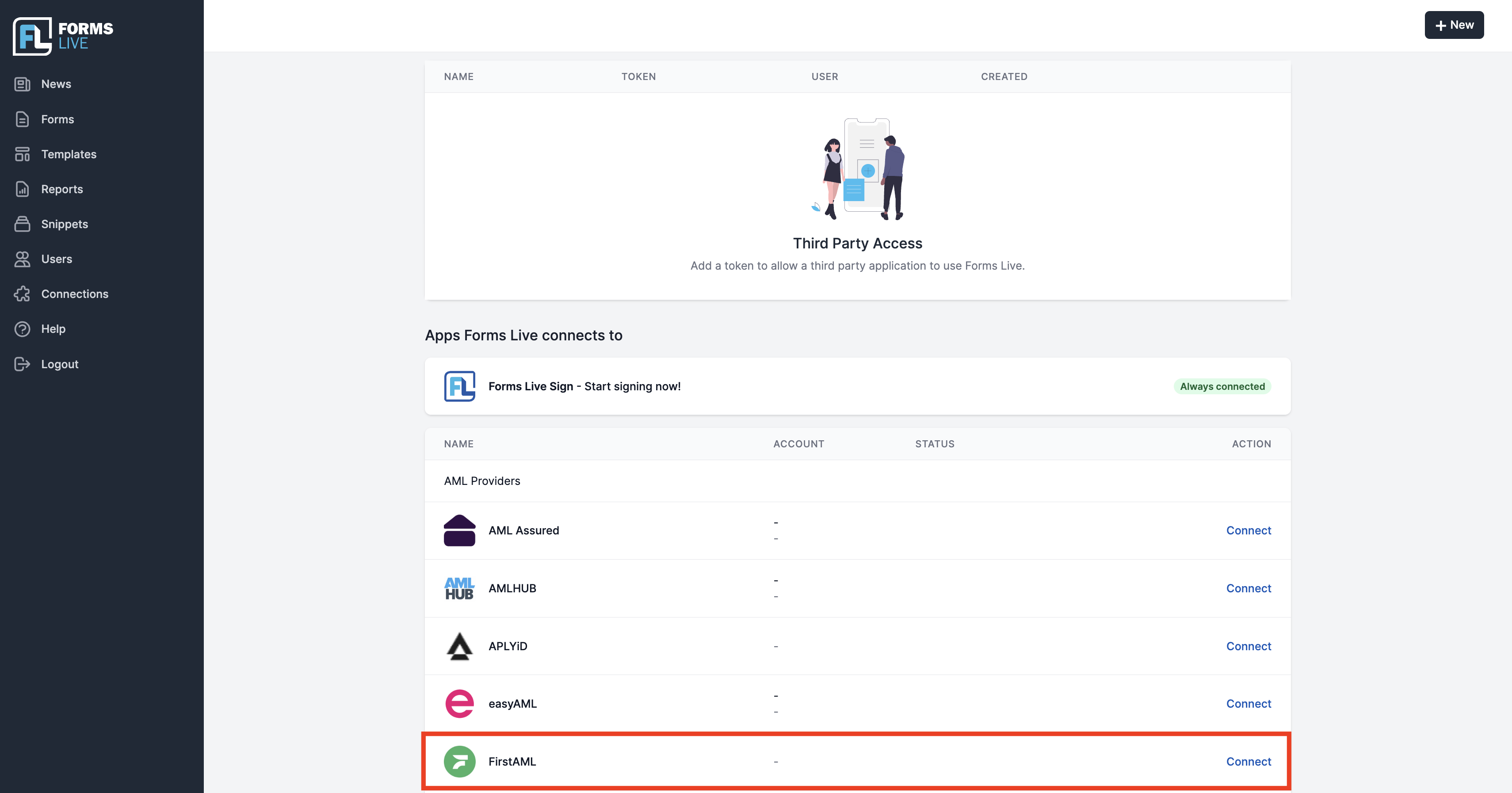
Click
Connectionsin the left menu.Click
Connectin the row labelledFirstAML.
please note
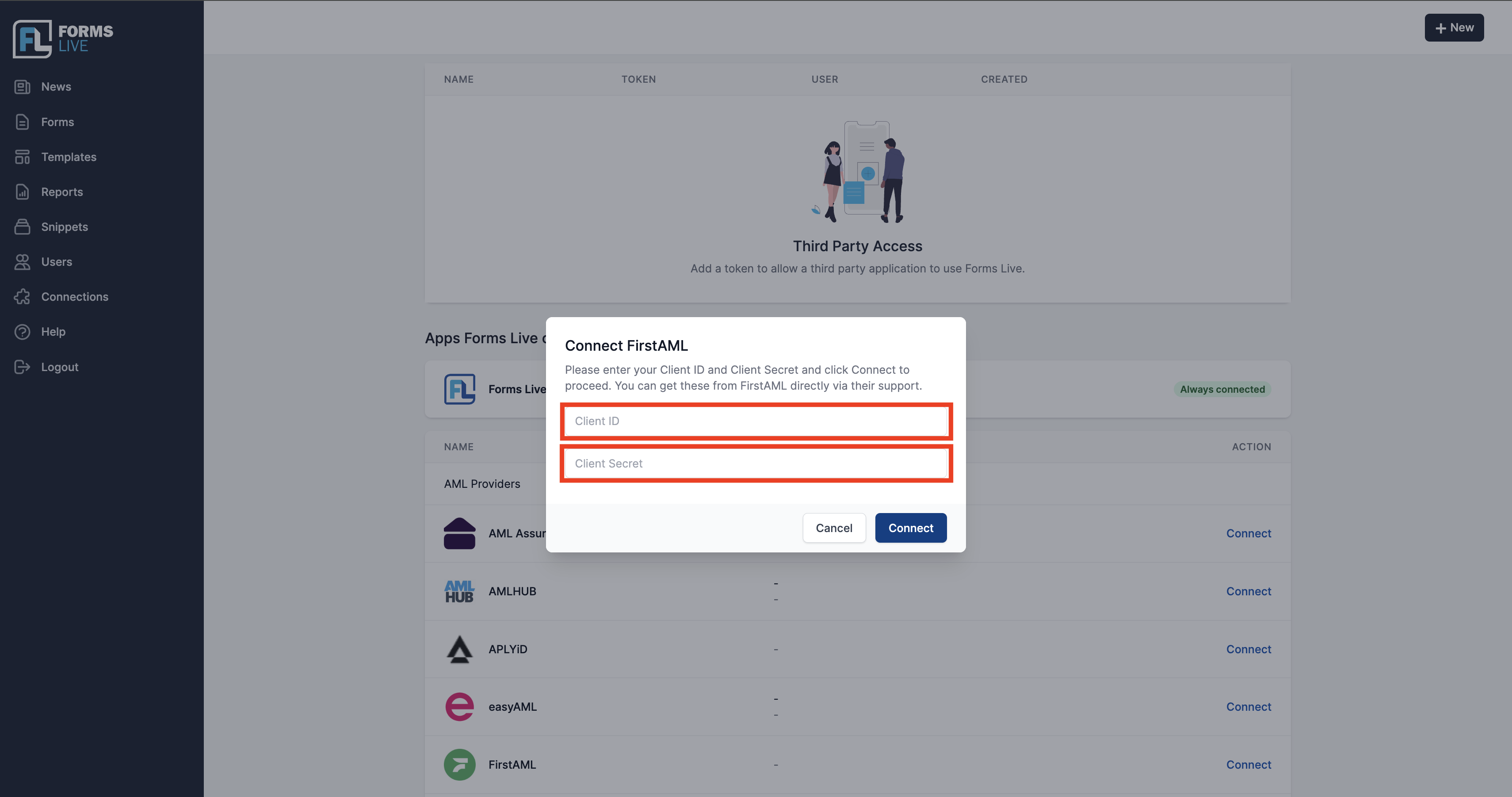
The next step requires a FirstAML Client ID and Client Secret. These need to be requested from FirstAML by contacting onboarding@firstaml.com.
- Enter your Client ID and Client Secret, and press "Connect." If you receive an error, please confirm you've entered both correctly.
- Done!